02
Makerbot Sketch Sprint
Client
Client
Makerbot
Makerbot
Type
Type
Firmware UX Design
Firmware UX Design
,
,
Year
Year
2024
2024
Subject
Subject
Scaling Excellence for the Classroom
Scaling Excellence for the Classroom
the challenge
Following the launch of the Ultimaker Factor 4, the mission was to redefine the K-12 experience for the classroom. We needed to adapt a high performance industrial system into a tool that felt safe, approachable, and timeless for an educational environment.
the insight
The platform was becoming "technologically incompatible" with the needs of modern makers. Our research revealed a disconnect: while the content was valuable, the "legacy platform" prevented intuitive interaction on mobile devices and newer screens.
To reach a new target demographic, we couldn't just patch the UI; we had to "reinvent" the visual language and create a responsive experience that felt native to the next generation of creators.
the insight
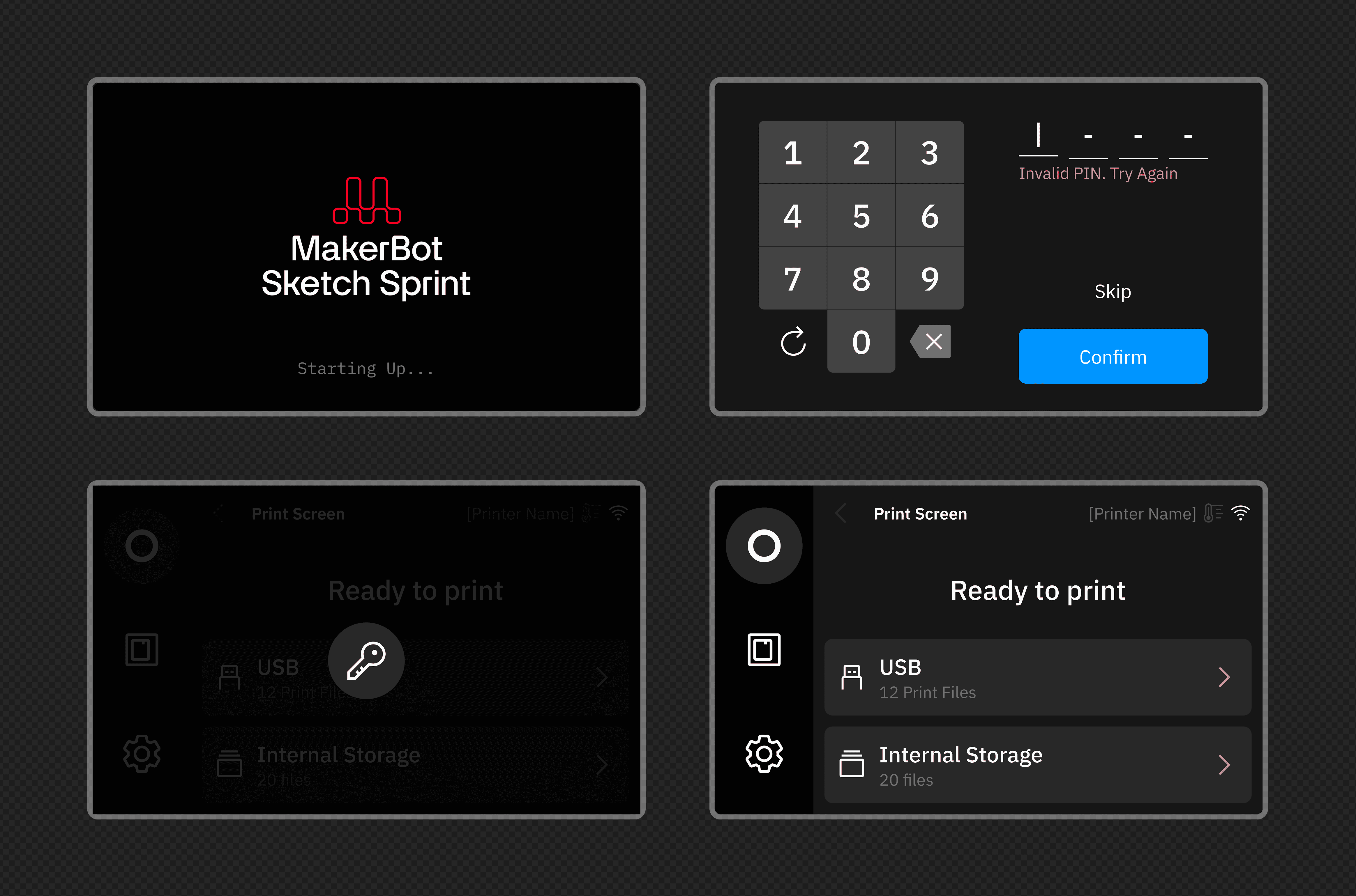
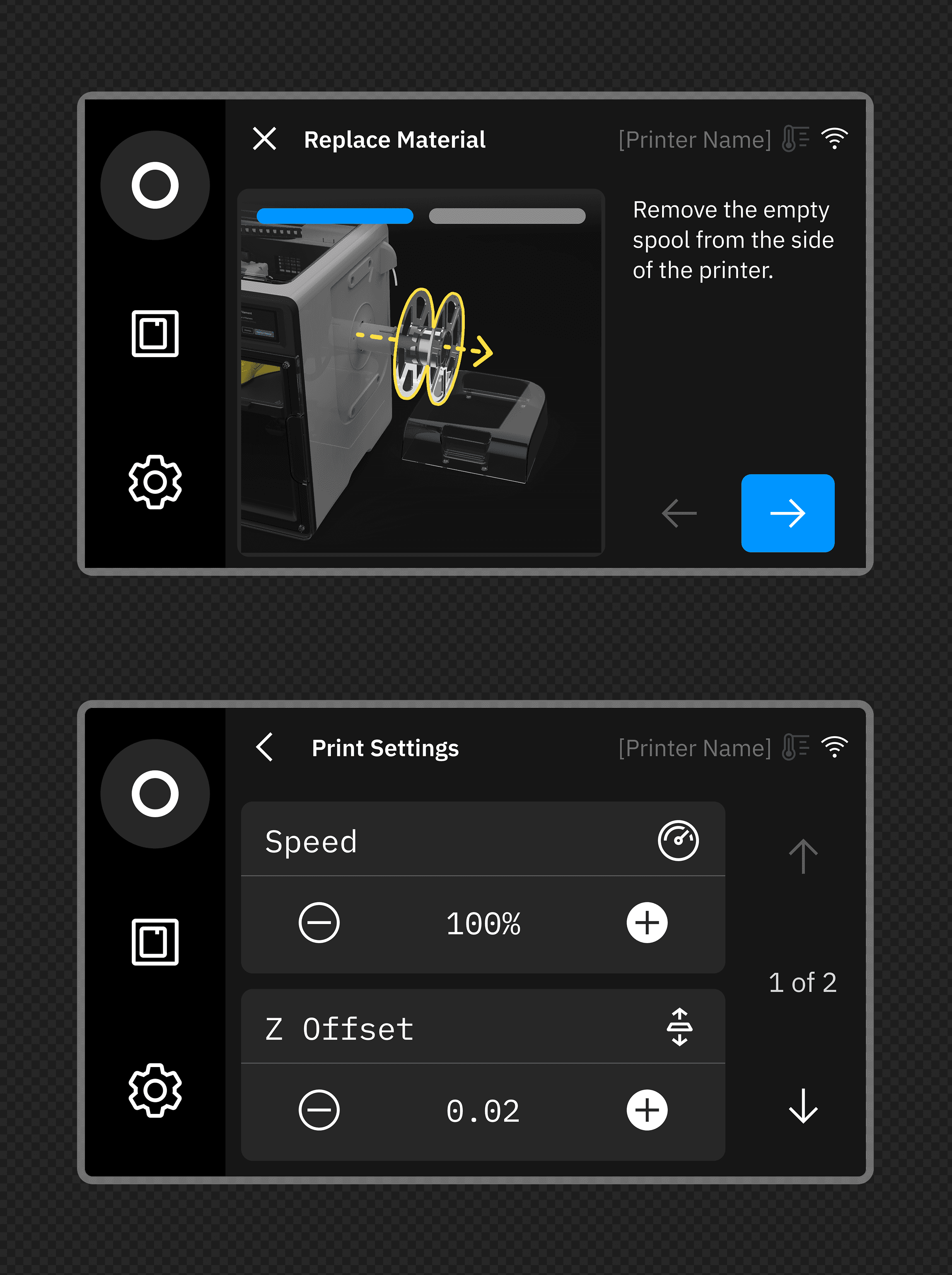
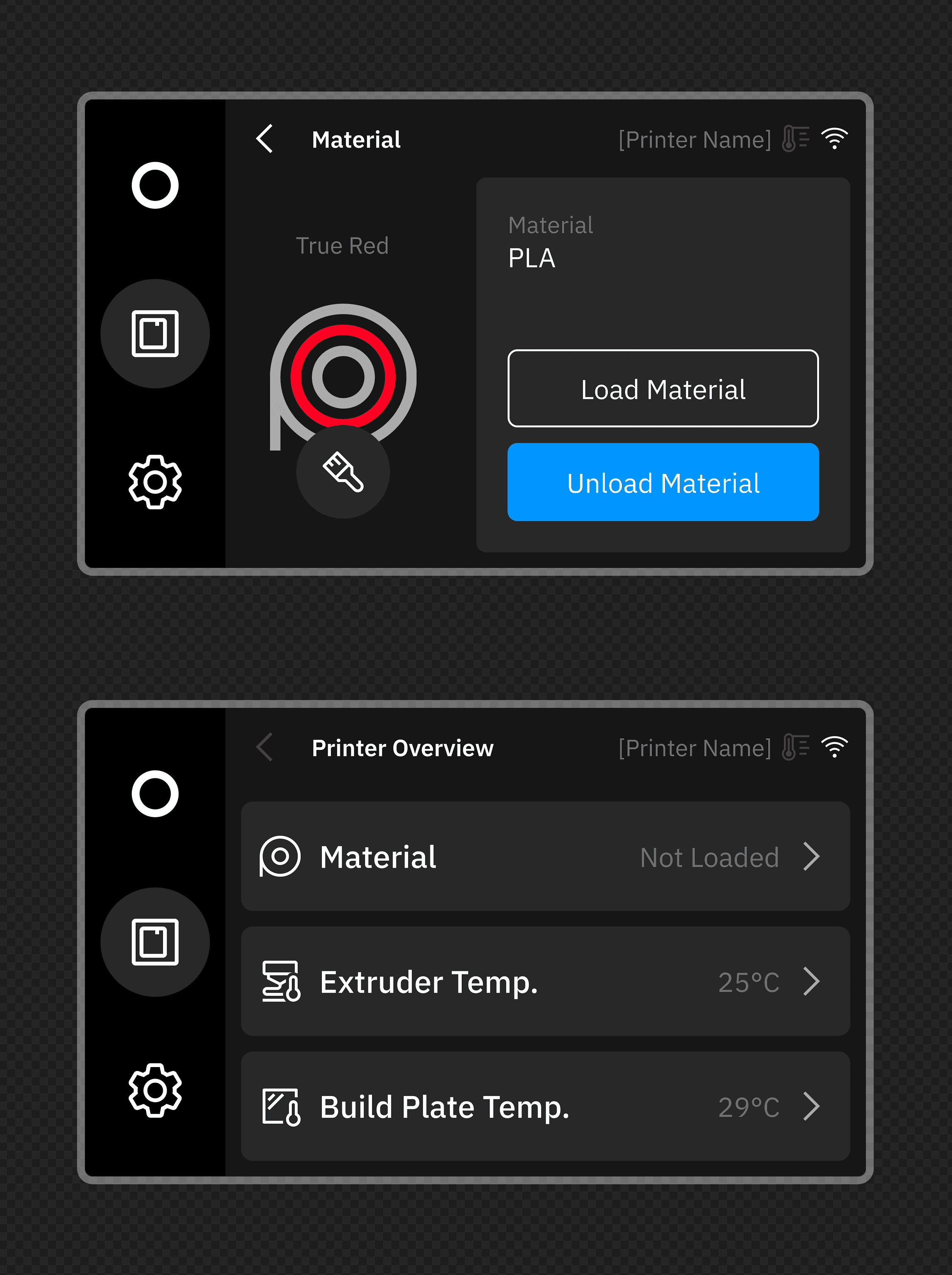
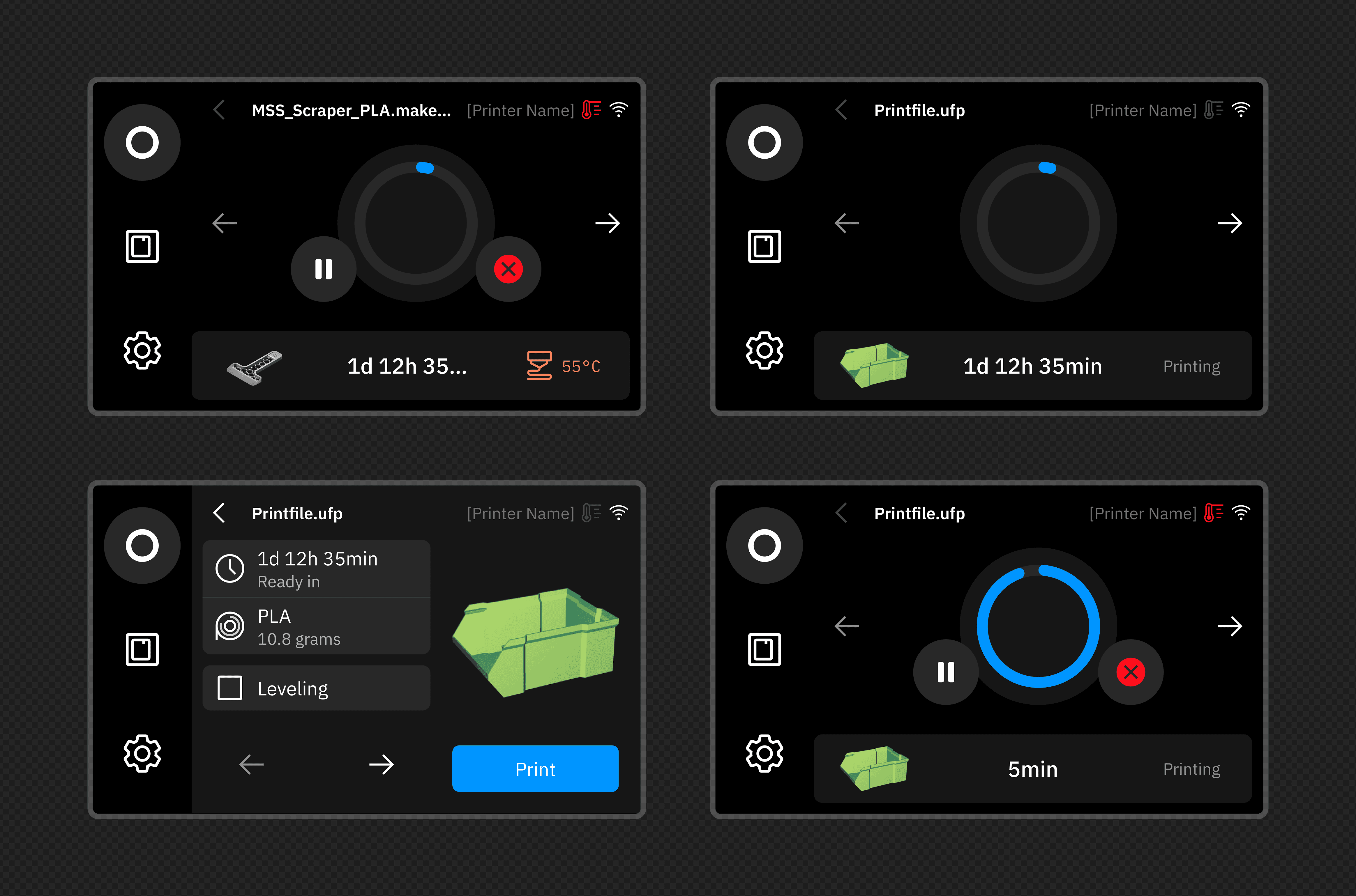
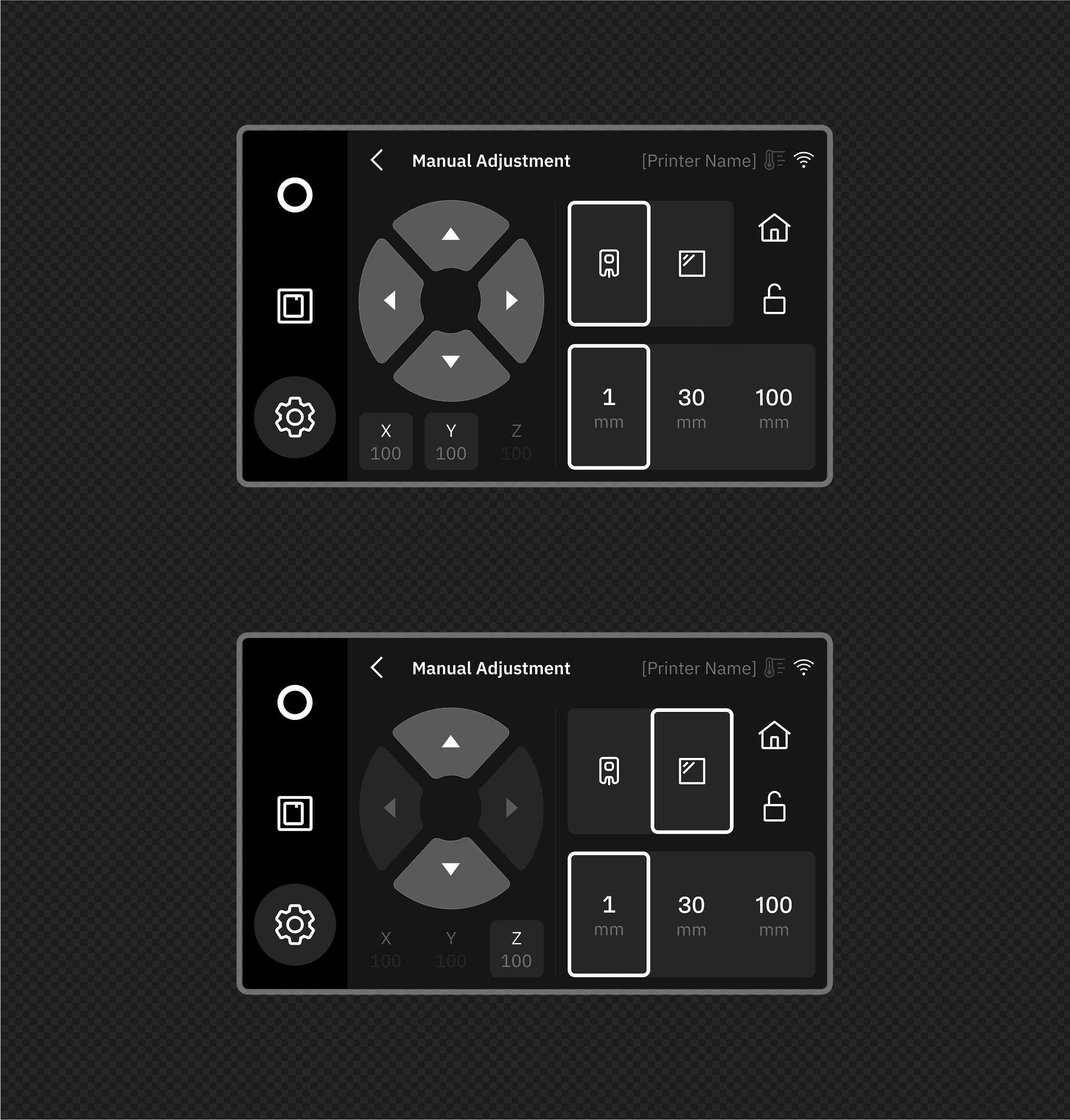
Bolder Accessibility: We tailored the UX with "Bigger, bolder components" to ensure the interface was intuitive for students of all ages.
Safety-First Features: To solve the uncomfortable truth of unsupervised hardware in schools, we integrated secure PIN code features and enhanced safety protocols.
Industrial Alignment: I collaborated deeply with industrial designers to ensure the visual language of the firmware matched the industrial design and final chassis of the printer.
the solution
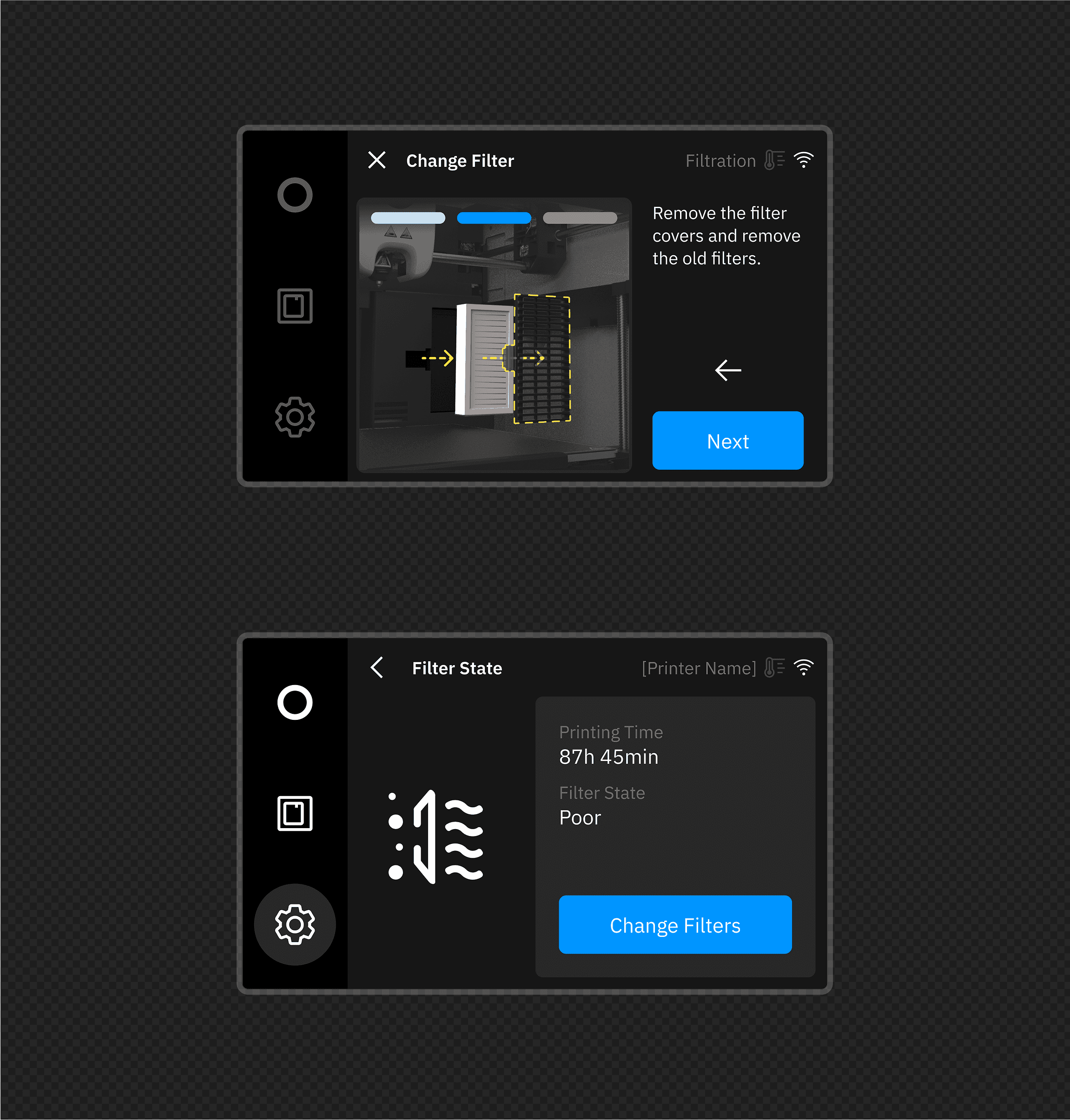
Rather than building from scratch, by leveraging the existing firmware design system, we extended the variables from the Factor 4 to create a scalable node for the Sketch Sprint. This ensured a consistent feel while maintaining technical consistency across the Ultimaker/Makerbot ecosystem.
the impact
The Outcome: Delivered the fastest new Makerbot while maintaining a Playful personality suitable for education.
Efficiency: Successfully digitised the transition from industrial to educational hardware using a modular design system.
the solution
01. Extending the System (The Node): I branched and extended the core Ultimaker software products design system to establish the specific "Thingiverse Node." This wasn't just a visual update; it was a "scalable brand toolkit" that ensured the platform shared DNA with the parent ecosystem while maintaining its own unique identity.
02. Responsive Experience Overhaul: I designed and refined critical "human-centered" flows including Search, Ecommerce, Login, and the complex SCAD customizer. By focusing on a "build-first approach", we transitioned these features to be fully responsive, ensuring a seamless experience across all devices.
03. Visual Rebirth & Community Workbench: To appeal to a new demographic, I completed a total rebranding, defining a fresh "visual language" and asset library.
Crucially, we "partnered with" the community by launching "Thingiverse Workbench." Using tools like Figma Make, we created an "immersive environment" for rapid testing and feedback, allowing users to validate features before full deployment.
the impact
The Outcome: Delivered the fastest new Makerbot while maintaining a Playful personality suitable for education.
Efficiency: Successfully digitised the transition from industrial to educational hardware using a modular design system.
the challenge
Thingiverse is a pillar of the 3D printing community, but it faced a critical "paradigm shift". The challenge was to integrate this massive platform into the broader Ultimaker ecosystem without alienating its loyal user base.
We needed to evolve it from a standalone repository into a connected "Thingiverse Node," requiring a "digital transformation" that balanced "historic legacy" with modern functionality for a new demographic.